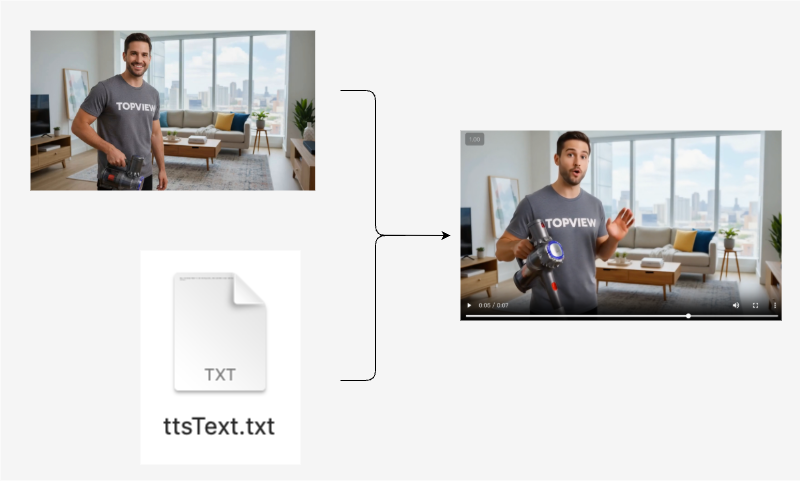
Using the API Photo Avatar, image can be converted into video.
Image Example
Usage Example
First, obtain Topview-Uid and Authorization as request header parameters. For details, see the documentation How To Get Topview Uid And Key. Assume Topview-Uid=NsDAaOPF4jLuAie4ewyg and Authorization=Bearer sk-vEsneECh1J5eKHUw4vxHI61e7FvXPnPE1625PmSt3HB【Note: Current account is unavailable ❌】.
curl --location --request POST 'https://api.topview.ai/v1/photo_avatar/task/submit' \
--header 'Topview-Uid: NsDAaOPF4jLuAie4ewyg' \
--header 'Authorization: Bearer sk-vEsneECh1J5eKHUw4vxHI61e7FvXPnPE1625PmSt3HB' \
--header 'Content-Type: application/json' \
--header 'Accept: */*' \
--header 'Host: api.topview.ai' \
--header 'Connection: keep-alive' \
--data-raw '{
    "templateImageFileId":"2a22d8f1364d4903a4f7ec98d2046899",
    "mode":"avatar4",
    "scriptMode":"text",
    "ttsText":"Hey, I’m Topview Avatar 4. Give me one picture, and I can make a video like this — natural, longer, and doing the moves you want.",
    "voiceId":"LaaHTrXZCVOQmB1wZUhnwmbPTAWDFtW6",
    "audioFileId":"",
    "captionId":"",
    "avatarActionPrompt":"",
    "saveCustomAiAvatar":true
}'