
Business Process
- Description
- Using the API Image Character Swap, you can replace the character in an image with another one.
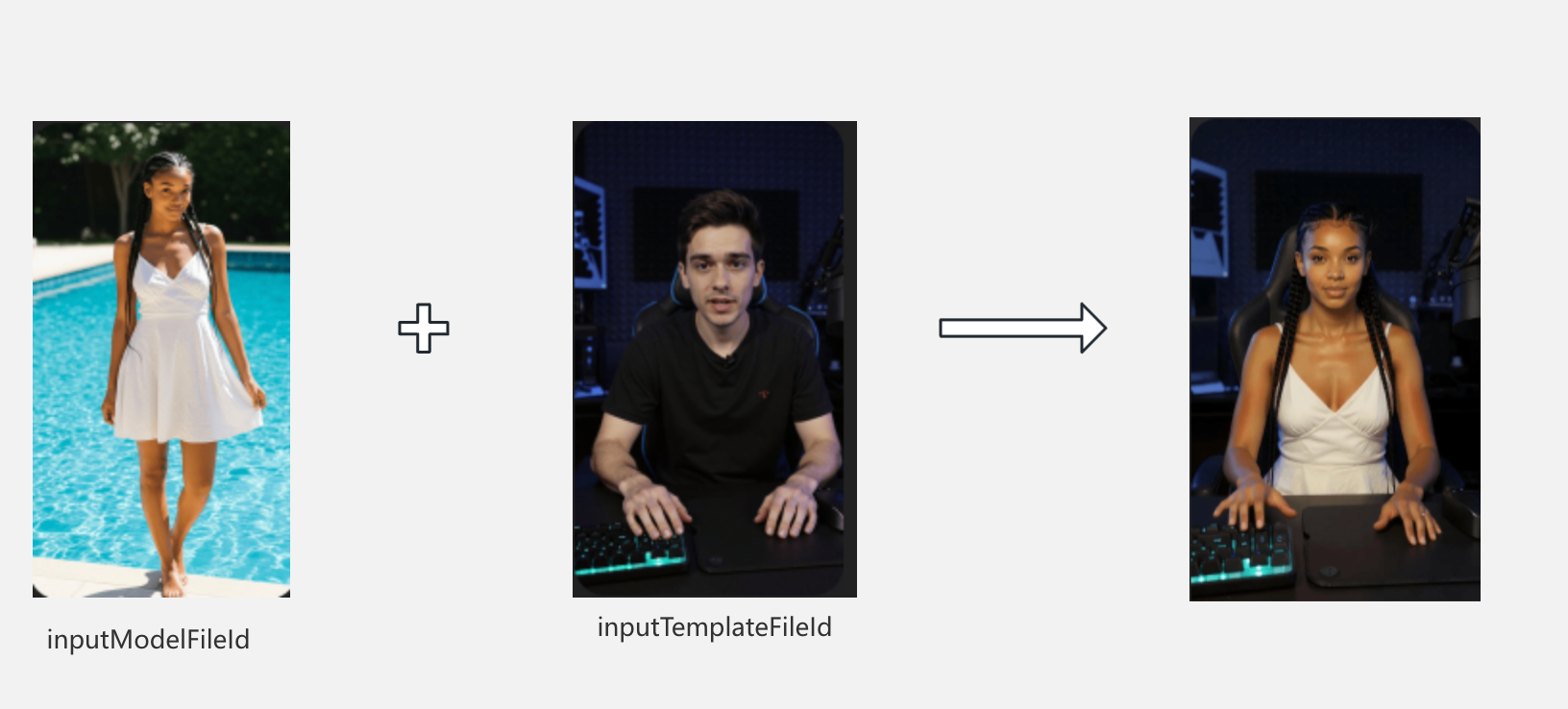
Usage Example
- First, obtain
Topview-UidandAuthorizationas request header parameters. For details, see the documentation How To Get Topview Uid And Key. AssumeTopview-Uid=NsDAaOPF4jLuAie4ewygandAuthorization=Bearer sk-vEsneECh1J5eKHUw4vxHI61e7FvXPnPE1625PmSt3HB【Note: Current account is unavailable ❌】.
Step1: Execute Image Character Swap Submit Task
curl --location --request POST 'https://api.topview.ai/v1/character_swap/task/submit' \
--header 'Topview-Uid: 5X0UnBf2okiDDV5JRk4s' \
--header 'Authorization: Bearer sk-4zwlvflVlS_vK1KfynYRV64_6c1u3D9vNKvriPhZlnI' \
--header 'User-Agent: Apifox/1.0.0 (https://apifox.com)' \
--header 'Content-Type: application/json' \
--header 'Accept: */*' \
--header 'Host: api.topview.ai' \
--header 'Connection: keep-alive' \
--data-raw '{
    "inputModelFileId": "9022415045c042fa91f8a1839cc8034e",
    "inputTemplateFileId": "629816a027bd4b5b83ac3356b06c7c86",
     "noticeUrl": ""
}'- response
{
    "code": "200",
    "message": "Success",
    "result": {
        "taskId": "fe0614636f70427780ab5aa87d9e5141",
        "status": "success",
        "errorMsg": null,
        "noticeUuid": ""
    }
}